If your reps visit customers every day, you probably know the early warning signs. You call to ask where someone is. You retype an order from a chat message. A report arrives after the decision was already made. Each problem looks small. Together, they show a process that has outgrown spreadsheets, phone calls, and paper.
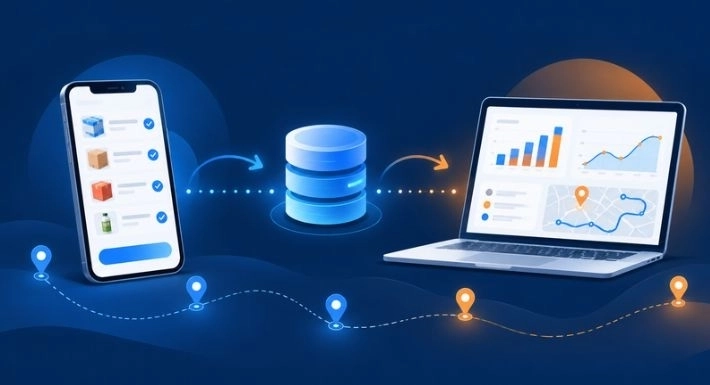
Field sales management software is a mobile app for sales reps and a dashboard for managers. Reps record visits and orders as they happen, and managers see activity, orders, and performance without chasing updates. It is built for teams that visit customers in person, such as distributors, wholesalers, and FMCG sales teams. For a fuller explanation, read how field sales management software works.
This guide covers the signs you need field sales management software, what changes for each one, and when you can safely wait.
Quick Answer: The 7 Signs
- You can’t see what your reps did today without calling them.
- Orders are written on paper or in chat, then retyped at the office.
- Reps promise stock you can’t deliver.
- Visits are missed, duplicated, or planned from memory.
- Reports arrive late and the numbers are hard to trust.
- Customer history and follow-ups live in reps’ heads.
- Your team grew, but your process didn’t.
1. You Can’t See What Your Reps Did Today Without Calling Them
By 2 p.m., do you know which customers each rep has visited? If the answer comes from phone calls or an end-of-day message, you are managing on memory and trust. Missed visits, long gaps on key outlets, and idle time go unnoticed until a customer complains or sales dip.
What changes with SalesRoute.ai: Managers can follow activity on a dashboard instead of chasing updates. SalesRoute.ai lists live location tracking for field teams, customer check-in and check-out, and customer interaction history, so you can see which visits happened and what was discussed. Live GPS tracking and check-in/check-out are listed under the Advanced plan.
One caution: location data shows where a rep was, not how well the visit went. Use it to coach, not to police.
2. Orders Are Written on Paper or in Chat, Then Retyped at the Office
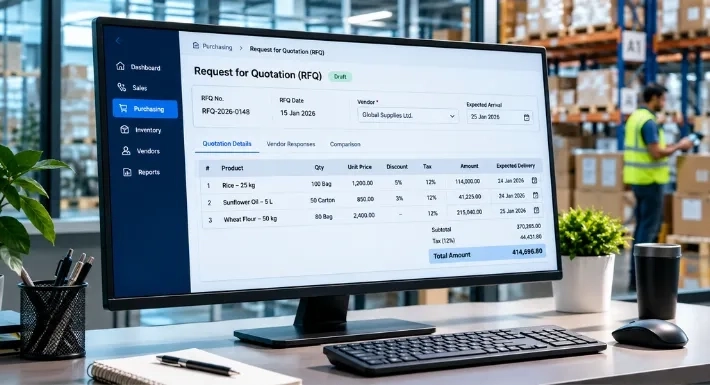
A rep takes an order on paper, in a notebook, or in a chat message. Someone at the office retypes it later. Quantities get misread, prices are out of date, and nobody is sure whether the order was processed, packed, or delivered. Customers feel it as late or wrong deliveries. Your team feels it is a rework.
What changes with SalesRoute.ai: Reps enter each order once, in the app, at the customer’s shop. SalesRoute.ai lists order management, invoice management, and repeat order management, so the office receives structured orders and can track them without calling the rep. For reps working in weak-signal areas, offline access is listed under the Advanced plan.
Want the full workflow? See how sales order management works in SalesRoute.ai.
3. Reps Promise Stock You Can’t Deliver
Picture a rep promising 40 cartons of a fast-moving product to a shop owner, while the warehouse has 12. Now you have an unhappy customer, a rushed substitution, or a lost order. This happens when reps and warehouse teams work from different information, and stock counts are updated late or by hand.
What changes with SalesRoute.ai: SalesRoute.ai lists inventory management and inventory adjustments. Its homepage also describes inventory optimization that aligns stock levels with demand to reduce stockouts. On the Advanced plan, order prediction forecasts future customer orders and buying patterns, which can inform what you stock.
To go deeper, read how distributors track stock, receipts, returns, and adjustments.
4. Visits Are Missed, Duplicated, or Planned From Memory
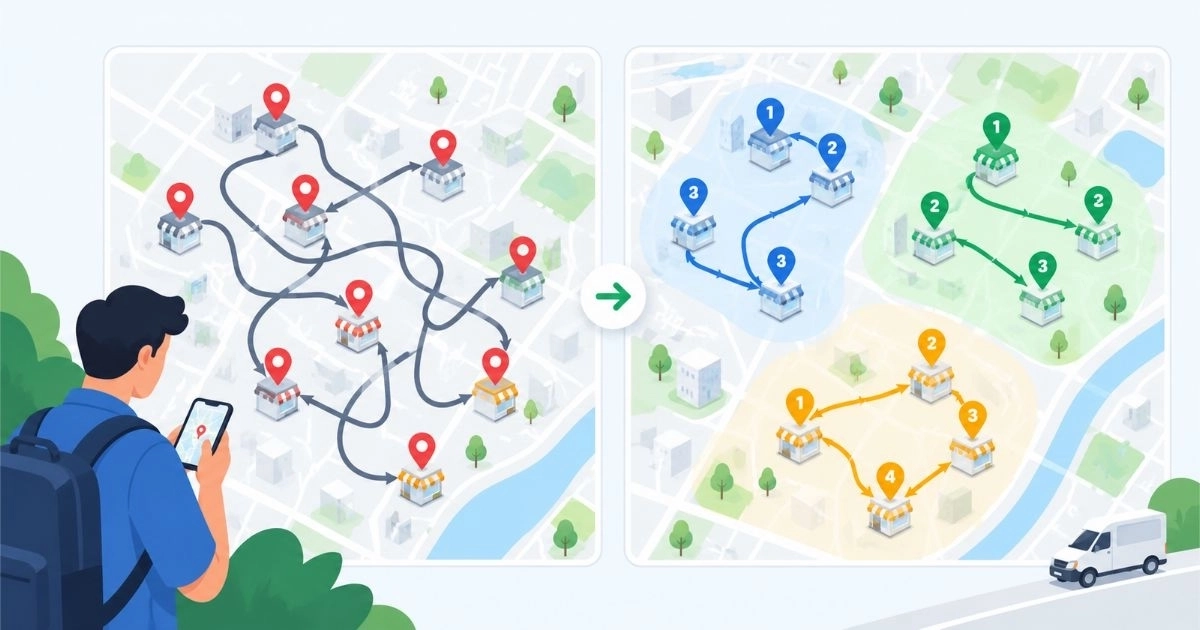
Routes live in each rep’s head or in a shared spreadsheet. Two reps visit the same shop in one week while another outlet goes a month without a call. Reps drive back and forth because stops aren’t grouped by area. Time, fuel, and customer relationships all suffer.
What changes with SalesRoute.ai: Route management is listed on the Standard and Advanced plans. Route optimization, which aims to cut travel time and fuel costs, and route deviation alerts are listed under the Advanced plan. Visit reminders help reps keep to the plan.
For a practical walkthrough, see how to plan better routes for field sales reps.
5. Reports Arrive Late and the Numbers Are Hard to Trust
Month-end arrives and you are collecting spreadsheets from every rep. The totals don’t match. By the time you spot a weak territory or a slow product, the month is over.
What changes with SalesRoute.ai: SalesRoute.ai lists an analytics dashboard, daily reports, and reporting dashboards that show KPIs. Because reports come from activity recorded in the app, you review what happened, not what reps remembered. Reports are only as good as the data entered, so keep forms short and required fields clear.
6. Customer History and Follow-Ups Live in Reps’ Heads
A rep leaves, goes on leave, or covers another territory. The customer history goes with them: what the customer ordered, what was promised, and when the next visit is due. Follow-ups depend on memory, and good customers quietly drift away.
What changes with SalesRoute.ai: SalesRoute.ai lists customer interaction history, which shows past visits, orders, and notes. It also lists follow-up and visit reminders. Its homepage describes an AI sales assistant that offers nudges and follow-up reminders, and its pricing page lists an AI agent for daily tasks on the Standard and Advanced plans.
7. Your Team Grew, but Your Process Didn’t
A system that worked for three reps starts to crack at ten. New reps pick up different habits, price lists get copied between files, and each manager builds a different report. Growth exposes every shortcut.
What changes with SalesRoute.ai: Every rep and territory works from the same customer records, orders, and reports. SalesRoute.ai lists custom roles and permissions, so you control who sees what, and multiple price lists for customers who buy at different prices. To see how AI fits a growing distribution business, read how AI improves van sales and distribution management.
Quick Self-Check: How Many Apply to You?
Count the statements that sound familiar:
- I need to call reps to find out where they are or what they did.
- Orders are retyped by someone at the office.
- Reps sometimes promise stock we don’t have.
- Some customers get visited twice while others are missed.
- I wait days or weeks for sales reports.
- If a rep leaves, their customer history leaves too.
- Our process gets harder to manage with every new rep.
As a rule of thumb, three or more is a good reason to start evaluating software. This is a practical guideline, not a statistic.
When You May Not Need Software Yet
Software isn’t always the first fix. You may be fine with spreadsheets if you have a very small team, a short customer list, and a simple order process. Also, if the real problem is unclear targets or no agreed visit schedule, fix the process first. Software records and organizes work. It can’t create a process that doesn’t exist.
Before You Switch: Set Rep Expectations
Adoption decides whether you get any value. A few steps help:
- Tell reps what is tracked and why.
- Use the data to coach before using it to criticize.
- Start with visits and orders, then add routes and reports.
- Test offline use in your weakest-signal area.
- Check local privacy and employment rules before enabling location tracking.
What to Do Next
Pick the one or two signs that cost you the most. Match them to the capabilities above, then try the software with a small group of reps before rolling it out to everyone. For a full buying checklist, read the benefits of field sales management software and how to choose.
Ready to see how it fits your team? Review SalesRoute.ai plans and pricing, or get started here. Questions about setup or data? Visit the FAQ page.
Plan note: Live GPS tracking, check-in/check-out, route optimization, route deviation alerts, offline access, and AI order prediction are listed under the Advanced plan. The pricing page says Advanced and AI+ features are being rolled out in phases, so check current availability.
Frequently Asked Questions
1. What are the signs you need field sales management software?
Common signs are not knowing what reps did without calling them, orders retyped from paper or chat, stock promises that you can’t deliver, missed or duplicated visits, late reports, customer history stored in reps’ heads, and a process that breaks as the team grows. Three or more is a good reason to evaluate.
2. Is it time to move from spreadsheets to field sales software?
If building reports, retyping orders, or chasing updates takes more time than selling or coaching, it is worth evaluating. If your team is very small and your process is simple, spreadsheets may still work.
3. How do I know if my reps are actually visiting customers?
Without records, you rely on what reps tell you. Field sales software records visits as they happen. SalesRoute.ai lists customer check-in/check-out and live GPS tracking on its Advanced plan. Location shows presence, not visit quality, so pair it with coaching.
4. Can small distribution businesses use field sales management software?
Yes. SalesRoute.ai describes itself as built for businesses from micro to enterprise, including distribution firms and direct store delivery teams. Start with visits and orders, then add routes and reports as you grow.
5. What is the difference between field sales software and a CRM?
A CRM tracks contacts, deals, and pipelines. Field sales software focuses on daily field work: visits, routes, order capture, and field reports. Many businesses use both. Our guide on choosing field sales management software explains more.
6. How does field sales software reduce order errors?
Reps enter each order once, in the app, so the office doesn’t retype from paper or chat messages. That removes a common source of wrong quantities and missing details. Accuracy still depends on correct product and price data.
7. Does field sales software work without the internet?
SalesRoute.ai lists offline access on its Advanced plan, which is being rolled out in phases. Test offline use in your weakest-signal area before you commit.
8. How much does field sales management software cost?
Cost depends on team size and plan. SalesRoute.ai lists several plans on its pricing page, and the Standard plan is available today. Check the page for current plans and prices.
9. Will location tracking hurt trust with sales reps?
It can if it isn’t explained. Tell reps what is tracked and why, use the data to coach, and check local privacy and employment rules before turning it on.